fabris78 Inviato 28 ottobre 2010 - 18:34 Share Inviato 28 ottobre 2010 - 18:34 .....Vespa 150 Gs '63 Moto e Scooter usato - In vendita Oristano e voi? 0 Quote Link al commento Condividi su altri siti More sharing options...
FedeBO Inviato 28 ottobre 2010 - 18:43 Share Inviato 28 ottobre 2010 - 18:43 neanche da lontano!!! però carina quella targa a 4 cifre, non ne avevo mai viste 0 Quote Link al commento Condividi su altri siti More sharing options...
vesp-one Inviato 28 ottobre 2010 - 21:40 Share Inviato 28 ottobre 2010 - 21:40 .....Vespa 150 Gs '63 Moto e Scooter usato - In vendita Oristano e voi? si si come no!!!!!!!!! il crestino sul parafango è tipico di questo modello!!!!!!!! :risata::risata: peccato che la 150GS è uscita fuori produzione nel 1961!!!!!! 0 Quote Link al commento Condividi su altri siti More sharing options...
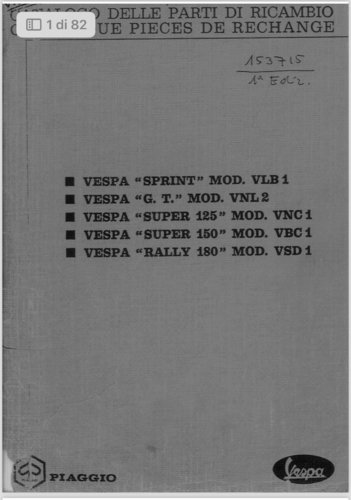
Utente Cancellato 002 Inviato 29 ottobre 2010 - 10:34 Share Inviato 29 ottobre 2010 - 10:34 Siete i soliti malfidati Si vede benissimo che c'è una gs sulla copertina della prima rivista tra quelle visibili nello sfondo dell'ultima foto 0 Quote Link al commento Condividi su altri siti More sharing options...
vesp-one Inviato 29 ottobre 2010 - 11:06 Share Inviato 29 ottobre 2010 - 11:06 Siete i soliti malfidati Si vede benissimo che c'è una gs sulla copertina della prima rivista tra quelle visibili nello sfondo dell'ultima foto :risata::risata:hai ragione!!!!!!!!!! 0 Quote Link al commento Condividi su altri siti More sharing options...
NERO Inviato 29 ottobre 2010 - 11:12 Share Inviato 29 ottobre 2010 - 11:12 a me sembra pari pari a una vbb!!!!!! 0 Quote Link al commento Condividi su altri siti More sharing options...
teach67 Inviato 29 ottobre 2010 - 23:43 MODERATOR Share Inviato 29 ottobre 2010 - 23:43 anche io direi vbb2..... il venditore non l'ha mai vista una gs..... di nessun tipo.... notata la crestina montata al contrario?????? è un restauratore coi fiocchi...... :ciao: 0 Quote Link al commento Condividi su altri siti More sharing options...
duecentorally Inviato 31 ottobre 2010 - 06:49 Share Inviato 31 ottobre 2010 - 06:49 Originale una spremuta di cachi..... 0 Quote Link al commento Condividi su altri siti More sharing options...



Recommended Posts
Join the conversation
You can post now and register later. If you have an account, sign in now to post with your account.